

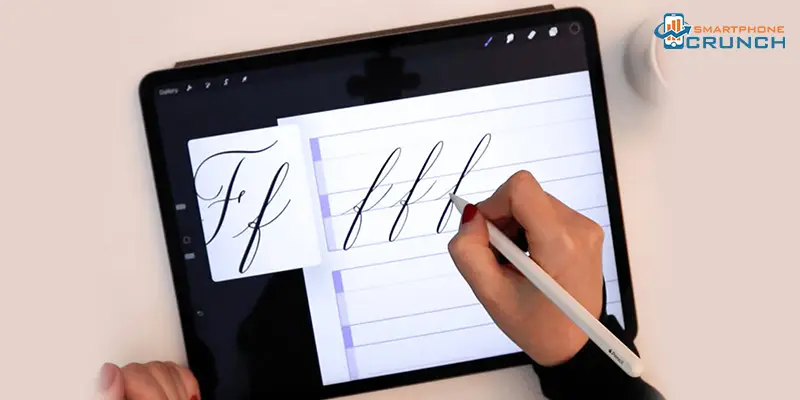
Discover the best calligraphy apps to unlock your creative flow!
Calligraphy, known as the “art of presenting beautiful writing,” blends expertise with emotion. It originated in ancient civilisations, such as China, around 200 BCE and flourished in Islamic, Japanese, and Western cultures.
For a millennium, calligraphy has symbolised prestige, education, and spirituality. Modern science suggests that practising calligraphy activates brain areas linked to memory and creativity, similar to meditation. In today’s digital age, where 3,000 emails are sent every second, handwritten calligraphy offers a strong sense of authenticity, enhancing the value of invitations and personal notes by over 30%. This is particularly beneficial for enhancing creativity, as signified by the best calligraphy apps, which aim to attract the target audience.
How Calligraphy Apps Bring Designs to Life?
- The best apps help in building a strong brand identity. By developing a distinctive calligraphy writing style, companies can differentiate themselves from their competitors and leave a lasting impression on their audience.
- The calligraphy apps help give a personalised touch to designs, which helps express and convey messages with emotion, making them more realistic.
- Calligraphy apps are versatile writing style apps that can be used in various design projects, ranging from logos and branding to packaging and advertising.
- Top-notch apps help make the content look handcrafted. Such elements create a sense of warmth and authenticity in their designs.
- The best calligraphy apps serve as a digital notebook for creating calligraphic art and designs, offering layer management and a range of writing tools.
5 Best Calligraphy Apps to Enhance Your Writing Experience
Calligraphy apps are used for gifting personal art, creating social media graphics, designing invitations and cards, branding and logos for businesses, and creating posters, among other purposes. Here is a list of the 5 best calligraphy apps.
I-Font Maker
I-FontMaker is the best calligraphy app for Apple users and the world’s first font editor made for iPad. It helps you create your own “handmade” writing style in less time using your fingers. Your fonts are now ready to be installed on your computer, iPad, and iPhone for use in any app.
Calligraphy Font App (4.3 ratings)
Developed by Appwalet Technologies, it is one of the best calligraphy apps, offering 50+ calligraphic font styles to edit text using images from your gallery.
Calligrapher-Art Maker (2.6 ratings)
Developed by Wave Studio, it is the best calligraphy app, which is very easy to use. Enter calligraphy text with a calligraphic font with available calligraphic options, and choose your favourite name style available with name decoration, and write a name.
Calligrapher (4.2 ratings)
Developed by Mark Tuskevich, this app is used to create calligraphic prints and drawings. Its toolbar has a transparent background and is easy to use, making it one of the best calligraphy apps.
Calligraphy Penmanship ( 4.4 ratings)
Calligraphy Penmanship is the best experience for the IOS family. It offers calligraphers and letter lovers the ability to create digital artworks on a mobile device. It is used like a pointed ink pen. A slight variation in hand pressure can create elegant and majestic shades.
The world of beautiful lettering is just a tap away. With the best calligraphy apps, you can turn simple words into works of art. Whether you’re designing a heartfelt invitation or crafting the next viral logo, the best apps make it easy to bring your ideas to life. From beginners to seasoned artists, these 5 apps offer something for everyone. Let your creativity flow, add a personal touch to your work, and make every project unforgettable.